 14 Oct
One of the cardinal rules of the cryptocurrency ethos is encapsulated in a famous six-word axiom: "Not your keys, not your coins." While automated cloud mining platforms like MineX Farm simplify the process of generating daily digital rewards by removing the complexity of physical ASIC hardware, true financial sovereignty requires that you take custody of your earnings in a secure, non-custodial wallet. Whether you are accumulating Bitcoin, Dogecoin, Litecoin, or Polygon, understanding how to configure, protect, and connect a self-hosted wallet ensures that your daily payouts remain exclusively yours\u2014immune to centralized exchange freezes, bankruptcy risks, or withdrawal holds.
This comprehensive technical guide walks you through the fundamentals of non-custodial storage, compares the best software and hardware options available in 2026, and provides a clear, step-by-step blueprint for automating your daily withdrawals from MineX Farm directly into cold or warm storage.
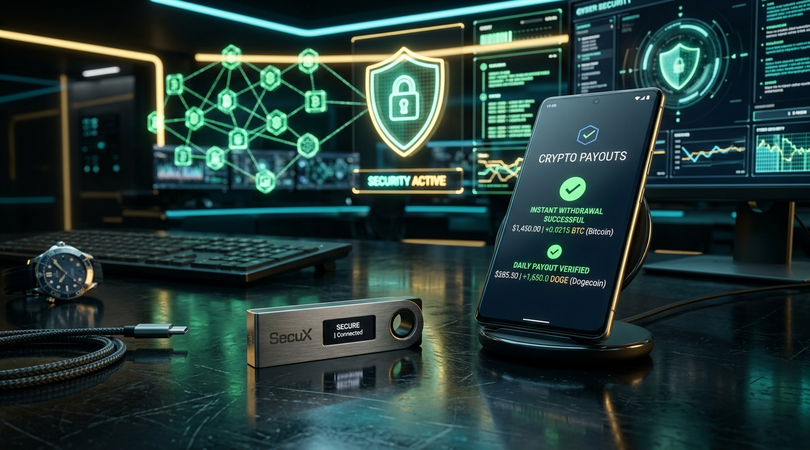
Mine daily crypto and withdraw instantly to your MetaMask, Trust Wallet, or Ledger with zero lockups.
Explore High-Yield Mining Plans »When you register an account on a traditional centralized cryptocurrency exchange (such as Binance, Coinbase, or Kraken), you do not actually control a private cryptographic key. Instead, the exchange holds your funds in shared omnibus wallets and assigns you an internal database balance. If the exchange experiences regulatory freezes, insolvency, or security breaches, your ability to access your funds can be suspended without warning.
In contrast, a non-custodial (self-custody) wallet provides you with direct mathematical control over your blockchain addresses. When you create a non-custodial wallet, cryptographic software generates a pair of keys:
Depending on your technical preferences, transaction volume, and security posture, different types of non-custodial wallets serve distinct roles in your mining workflow:
| Wallet Type | Recommended Options | Best For | Security Profile |
|---|---|---|---|
| Hardware (Cold Storage) | Ledger Nano X, Trezor Safe 3, BitBox02 | Long-term accumulation & large balances | \u2b50\u2b50\u2b50\u2b50\u2b50 (Air-gapped private keys) |
| Mobile Non-Custodial | Trust Wallet, Exodus Mobile, Coinbase Wallet | Fast daily monitoring & multi-coin payouts | \u2b50\u2b50\u2b50\u2b50 (Biometric app encryption) |
| EVM Browser Extension | MetaMask, Rabby Wallet | Polygon (POL) micro-payouts & DeFi yield | \u2b50\u2b50\u2b50\u2b50 (Web3 interactive access) |
| Native UTXO Wallets | Electrum (BTC), Dogecoin Core / MyDoge | Direct on-chain Bitcoin & Dogecoin routing | \u2b50\u2b50\u2b50\u2b50 (Lightweight native nodes) |
Always download non-custodial wallet software directly from the developer's official domain or verified mobile app store listings. Never click sponsored search engine ads or follow direct download links shared in social media direct messages, as counterfeit malicious wallet apps frequently proliferate across unverified channels.
Upon initial launch, select "Create New Wallet." The application will generate your unique 12- or 24-word recovery phrase. Follow these non-negotiable security protocols:
Navigate to your wallet dashboard and locate the specific digital asset you are mining on MineX Farm:
bc1q) or Taproot (starts with bc1p) address for maximum fee efficiency.D).ltc1 or M).Once your self-custody address is confirmed, log in to your MineX Farm dashboard and configure your payout destination:
Once configured, the beauty of the MineX Farm ecosystem is its frictionless operation. Your virtual mining rigs generate steady cryptographic output around the clock, and rewards flow directly from automated contracts to your personal blockchain address. By pairing industrial cloud infrastructure with non-custodial storage, you achieve the ultimate balance in Web3 wealth creation: effortless passive generation coupled with total, uncompromised sovereignty.
Register your free account on MineX Farm today and instantly activate your complimentary $10 Starter Miner (50 MH/s). Real-time balance accumulation, zero hardware maintenance, and daily withdrawals.